Proctoring app that does not go away.
Recently booked an exam through Pearson Vue and opted for taking this at home using the OnVUE online proctoring .
The verification mode downloads a zip file that extracts to a standalone OnVue app that one can execute from the downloads folder.

The app requires access to files in your download folder; documents everywhere, camera and microphone. Also hooks into system events (probably used to shutdown down any other apps).
Removing it is not straightforward and a quick search found similar themes
You make me install it… you tell me how to remove it – by Gareth Klose saved me hours by not contacting the support team (usually predictable).
Pearson OnVUE Broke Mac Mission Control – by Brian was a useful resource as well.
The current method is based on the helpful Edx guide on How do I uninstall the Software Secure proctoring software?
Remove the downloaded app – do the usual thing by dragging it to trash

Then use finder to go to the folder
~/Library/Application Support/Move this folder to bin
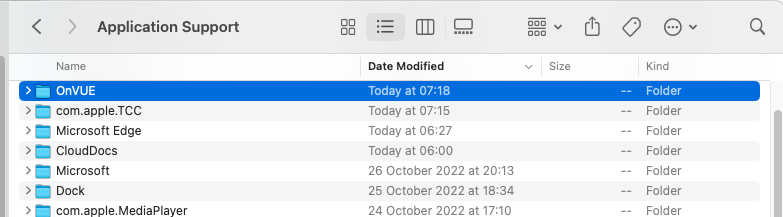
Next; use finder to locate
~/Library/LaunchAgentsFind – confirm by latest modified. Delete this as well
com.testsys.SBMonitor.plist

 anjanesh babu