Subscriptions for apps purchased on the AppStore are not visible in the App Store.
They are can be managed via the Music App on the Mac
Steps
1.Open the Music App on your Mac.
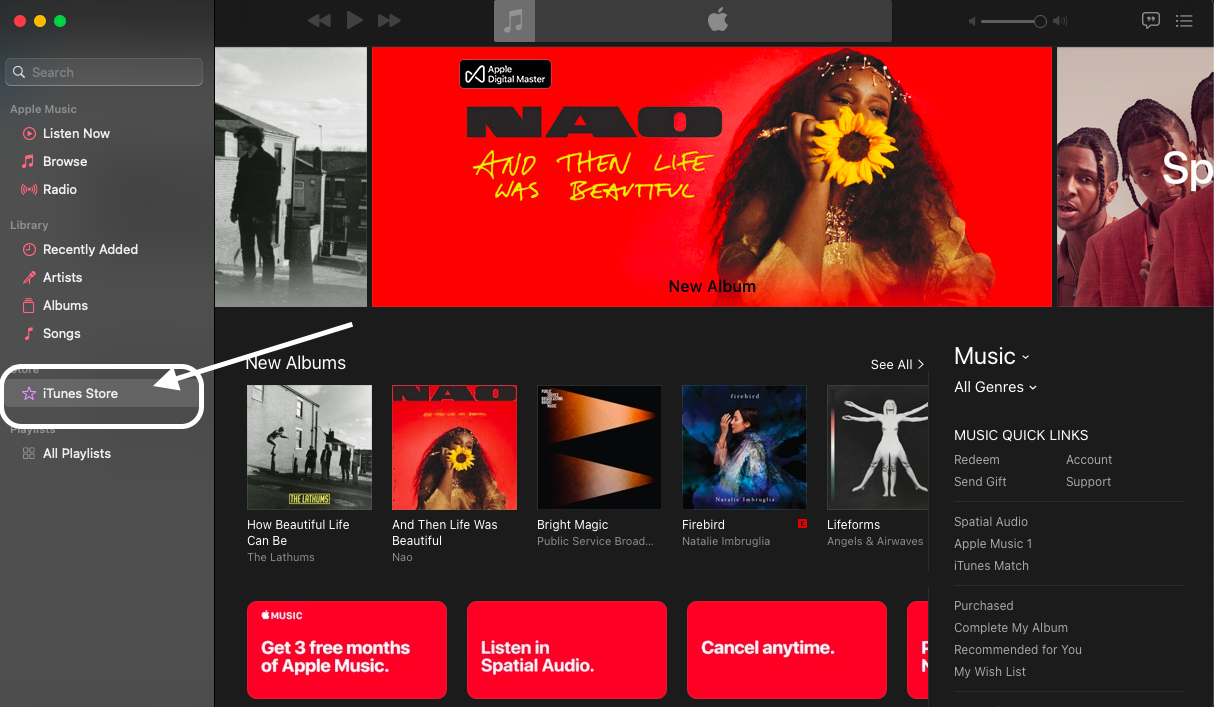
2.Click on ‘iTunes Store’
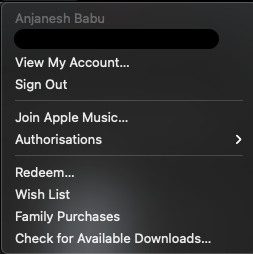
3.Go to the menu bar on top and select ‘View my account’
Sign into your Apple account if required.
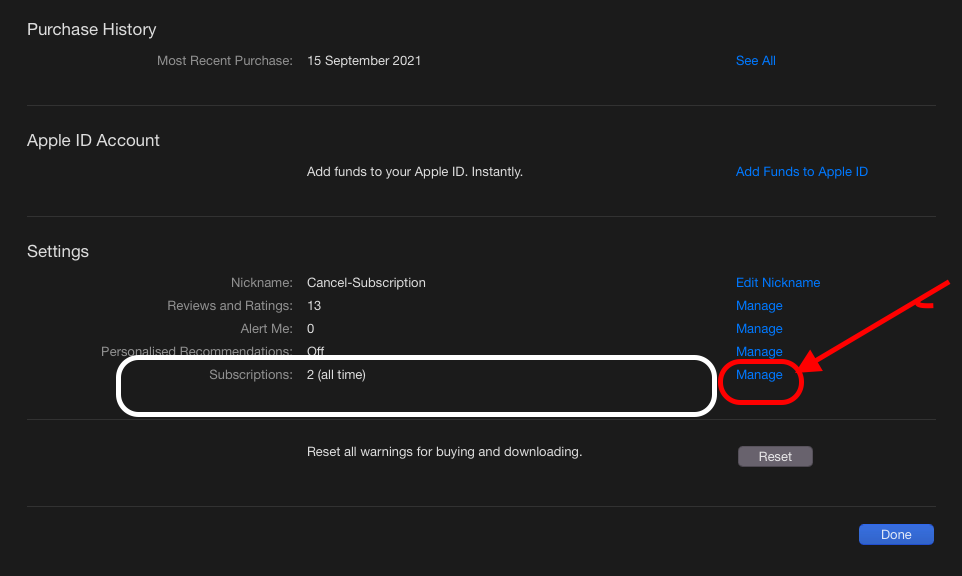
4.On the Account Information Page; scroll down till you find ‘Subscriptions’
Click ‘ Manage’
5.This shows a list of apps you have a subscription to.
Click edit to manage the app subscription.
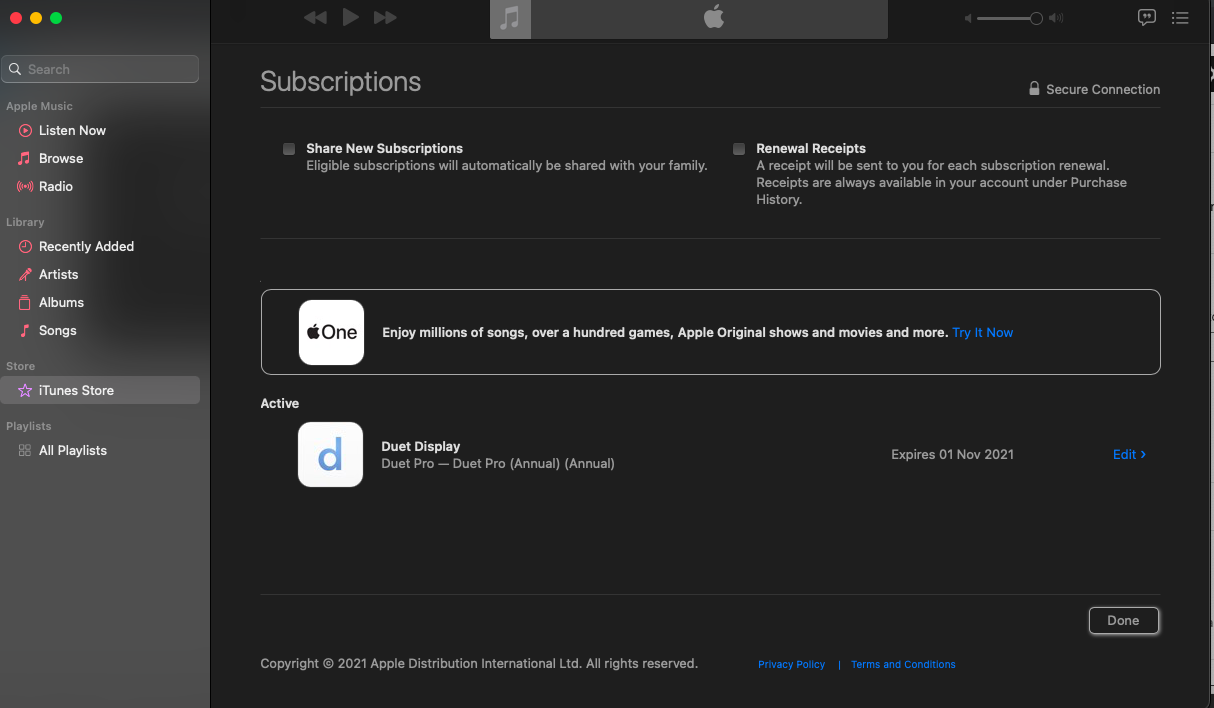
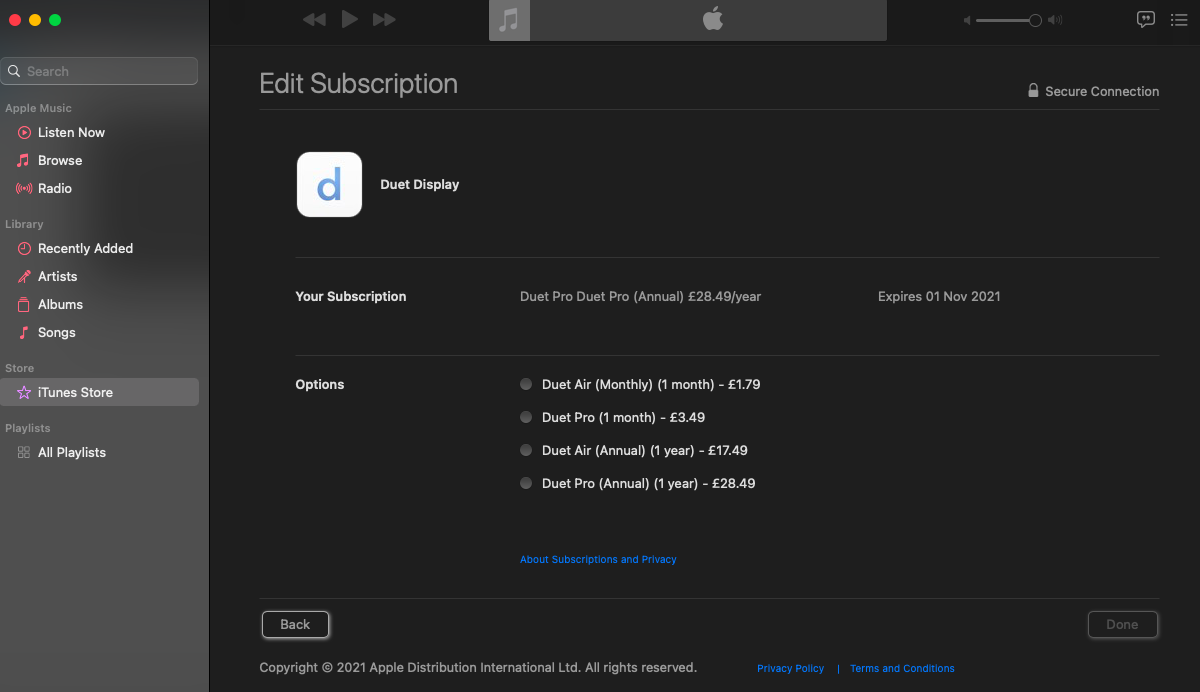
6. This example shows Duet Display – it does not auto renew but offers options to select which plan I may want.

 anjanesh babu